Your scale. Your iPhone. Apple Health.
Keep your digital scale.
Save your weight to Apple Health.
Photograph the reading on a supported digital scale with Health Scan Express. Check the captured value, save it, and sync it to Apple Health. No replacement smart scale or Bluetooth pairing needed.

Try two camera scans free. Manual entry, history, charts, Apple Health, and PDF export remain free. Ongoing camera recognition requires an optional subscription.
For iPhone. A separate digital scale is required. Your scale measures your weight; the app reads its display.
See how it works ↓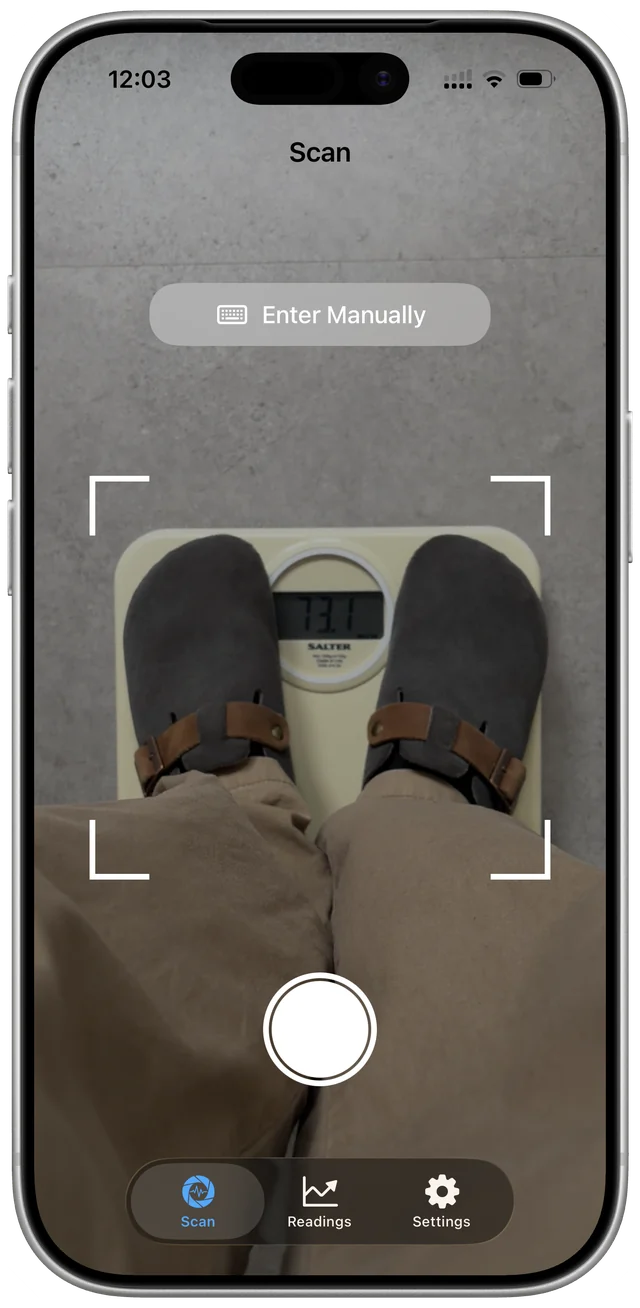
From display to health history
One weigh-in, a record you can keep
Photograph the display
Weigh yourself on your digital scale, then use the app's camera to photograph its displayed reading. Keep the numbers clear, well lit, and inside the frame.
Check and save the reading
Compare the captured number and unit with your scale. Review the value, choose kg or lbs, and save it to your in-app history. If recognition fails, enter the reading manually.
Save it to Apple Health
Enable Apple Health in the app and allow permission to write weight data. Supported saved readings can then sync to the Health app on your iPhone.
Check every captured reading against the original display before saving. Lighting, glare, and image quality can affect recognition.
Review first. Then save.
Your reading, in the app and in Apple Health
Keep weight readings in Health Scan Express and follow your trend in its history and charts. Apple Health sync is optional. Grant weight-writing permission to add supported readings to your Health app too.
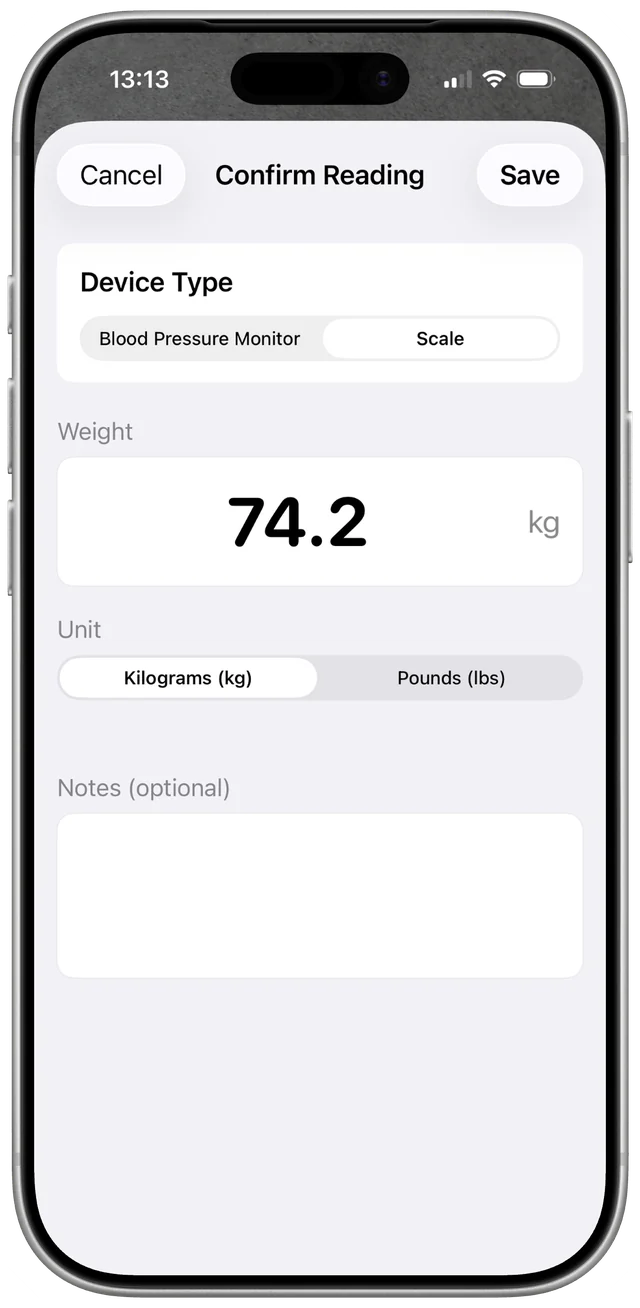
Review the number and unit
The confirmation screen lets you check the captured weight before saving.
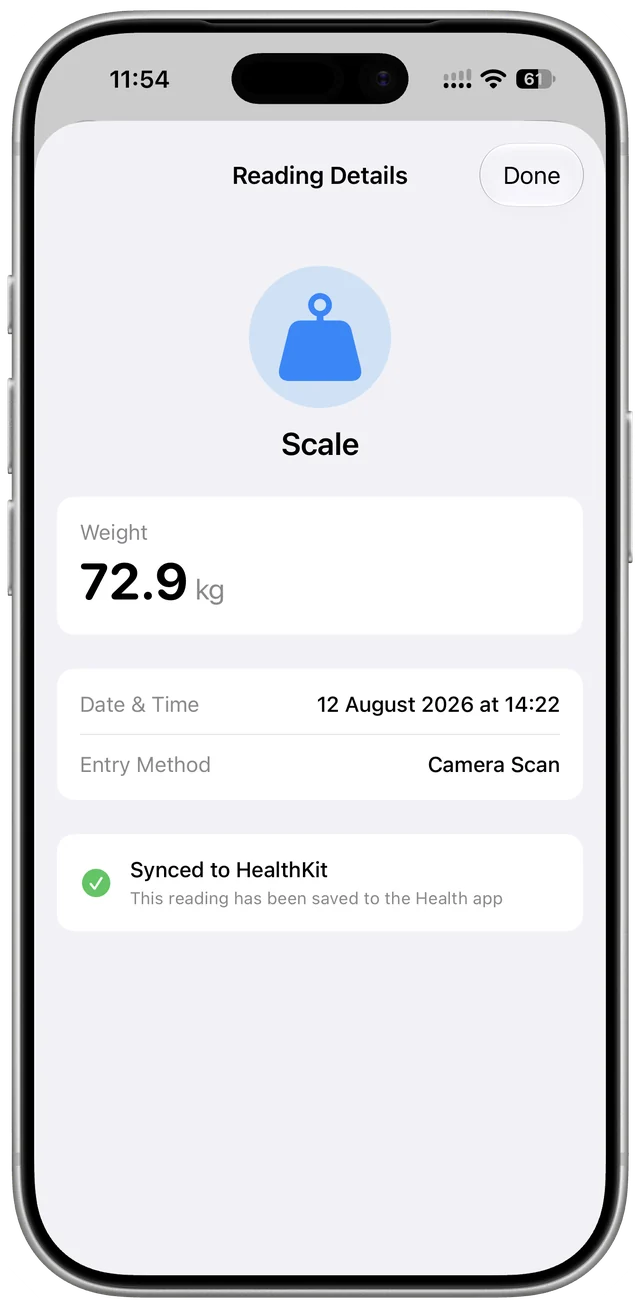
See when a reading has synced
Reading details show whether the saved measurement has synced to Apple Health.
These are separate real app captures with different sample readings.
Before you scan your scale
Will it work with my existing scale?
Health Scan Express reads supported digital displays. You do not need a Bluetooth connection to the scale. Compatibility depends on the display and how clearly the camera can see the reading; not every scale is supported. Try the two free camera scans with your scale. Manual entry is available if the app cannot read it.
Which weight readings can I save?
You can record weight in kilograms or pounds. Check both the number and the unit before saving. This workflow is for weight readings, not a promise to capture every measurement a body composition scale may display.
Does scanning need an internet connection?
Plan to use camera scanning with an internet connection. The app checks camera access through its service, and recognition can send your photo over HTTPS for processing by third-party AI services. Recognition is not entirely on-device. Read the Privacy Policy for details about image processing and providers.
Do I need a subscription for Apple Health?
No. Apple Health, manual entry, history, charts, and PDF export remain free. You get two free camera scans; continued camera recognition requires an optional subscription. Current subscription prices are shown in the app and on the App Store.
What if a reading has not synced?
Check that Apple Health is enabled in Health Scan Express and that you have allowed it to write weight data. Review the saved reading's sync status in the app. If you still need help, contact support.
Start with the scale you already have
Try a camera scan of a supported display and check the result before saving.
Try two camera scans free. Manual entry, history, charts, Apple Health, and PDF export remain free. Ongoing camera recognition requires an optional subscription.